
How it works
Set up in a minute
Everyone plays on the phone in their pocket. The TV is the paper, the scoreboard and the fridge.
Open it on the TV
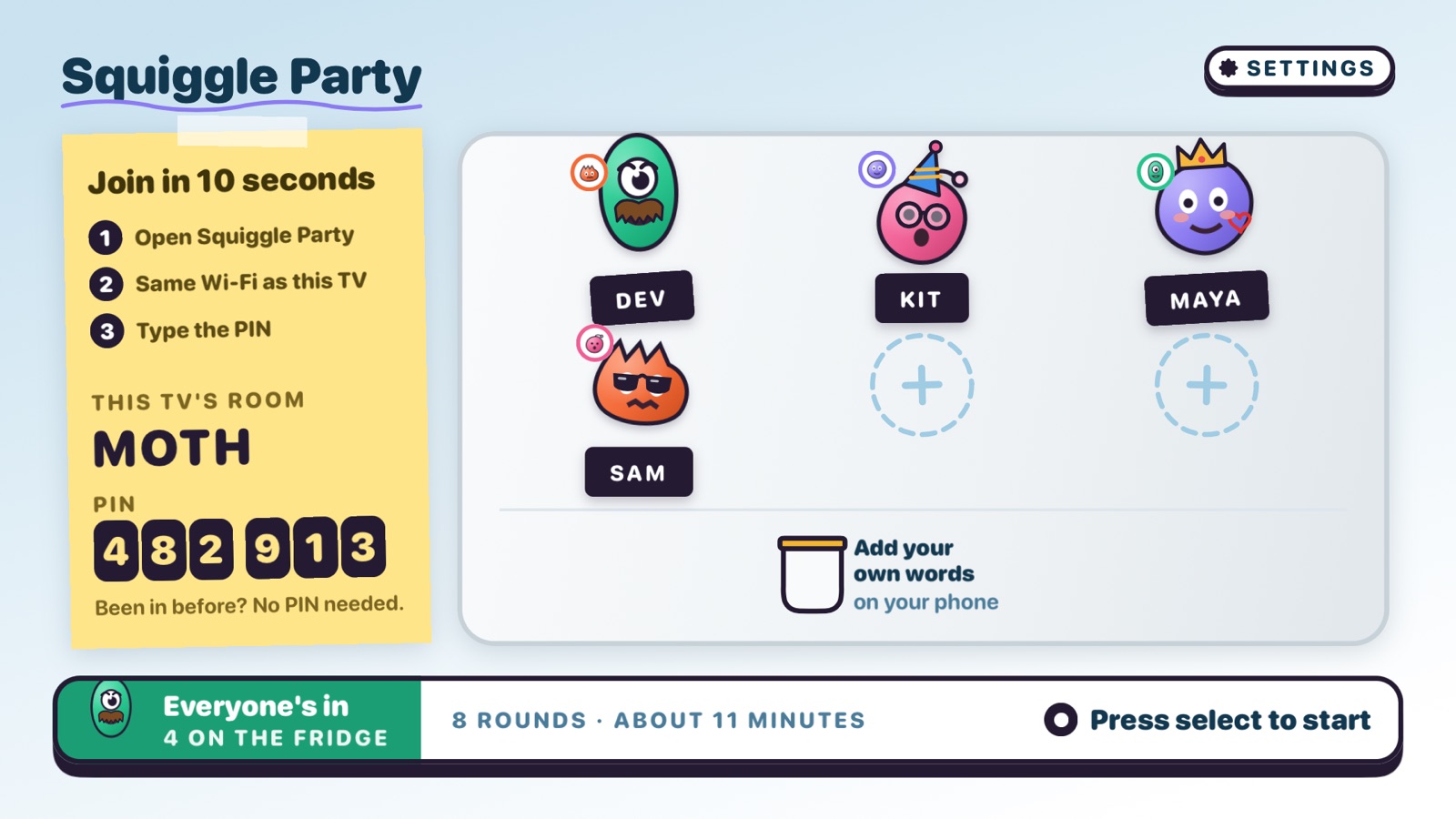
Squiggle Party opens on an Apple TV, or an iPad when there's no TV around. It shows the room's name and a six-digit PIN.
Phones join
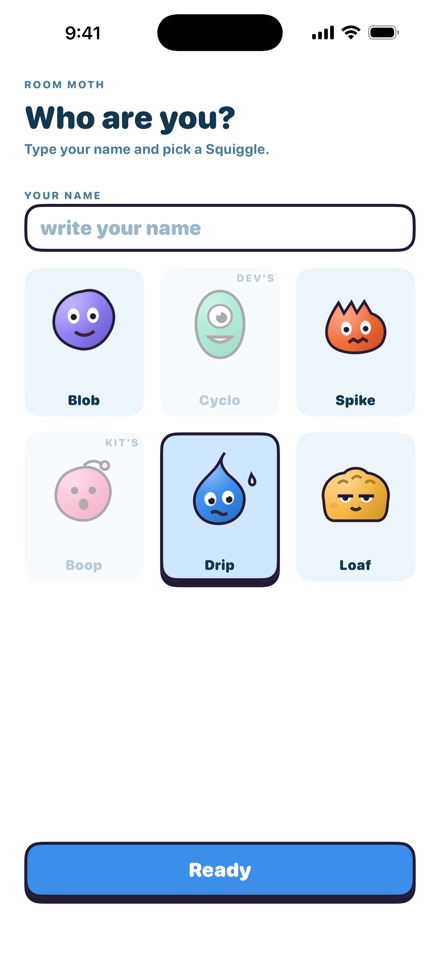
Everyone opens Squiggle Party on their iPhone, taps the room and types the PIN. Pick a Squiggle, write your name, and you're on the fridge.
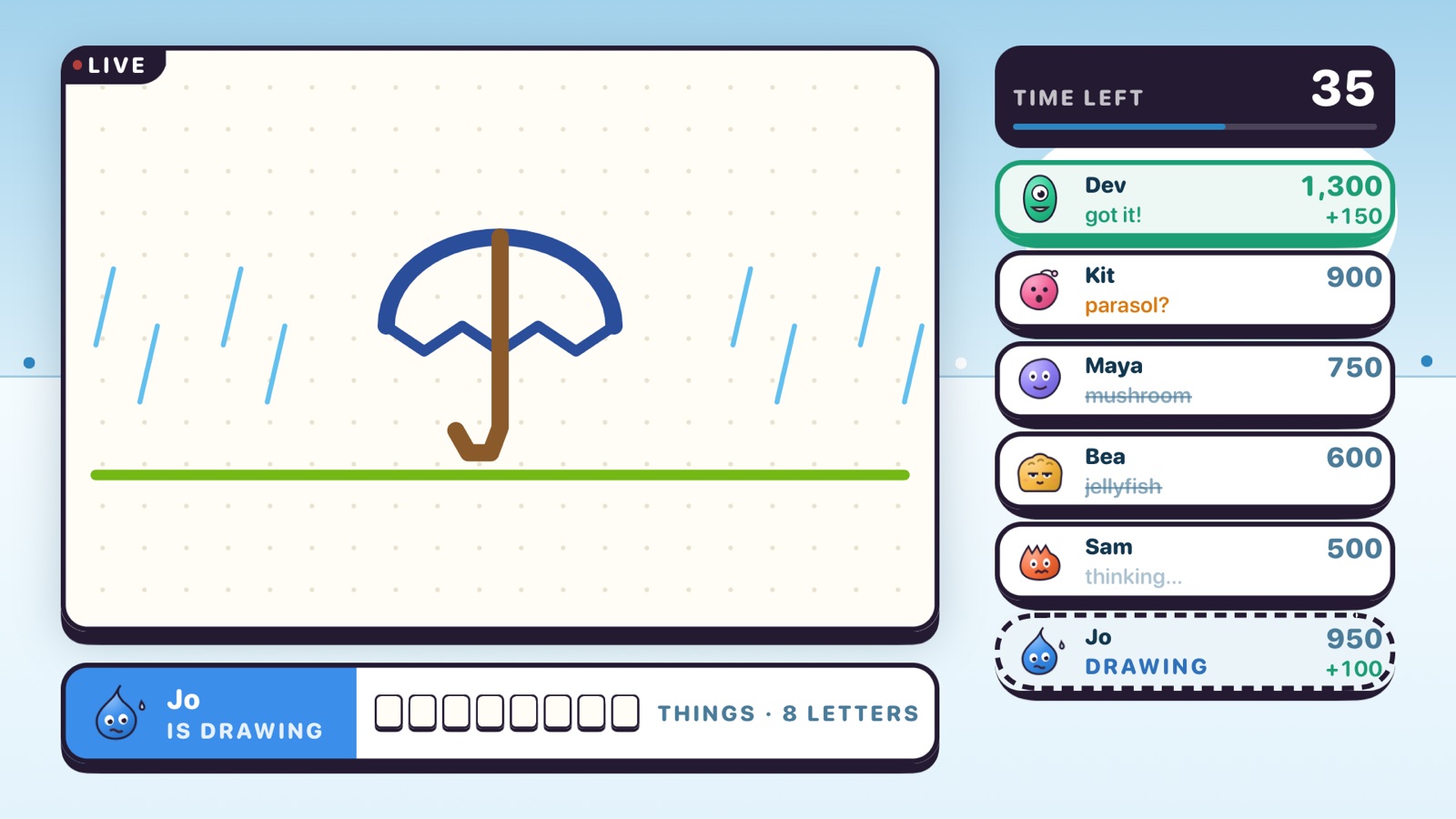
Draw and guess
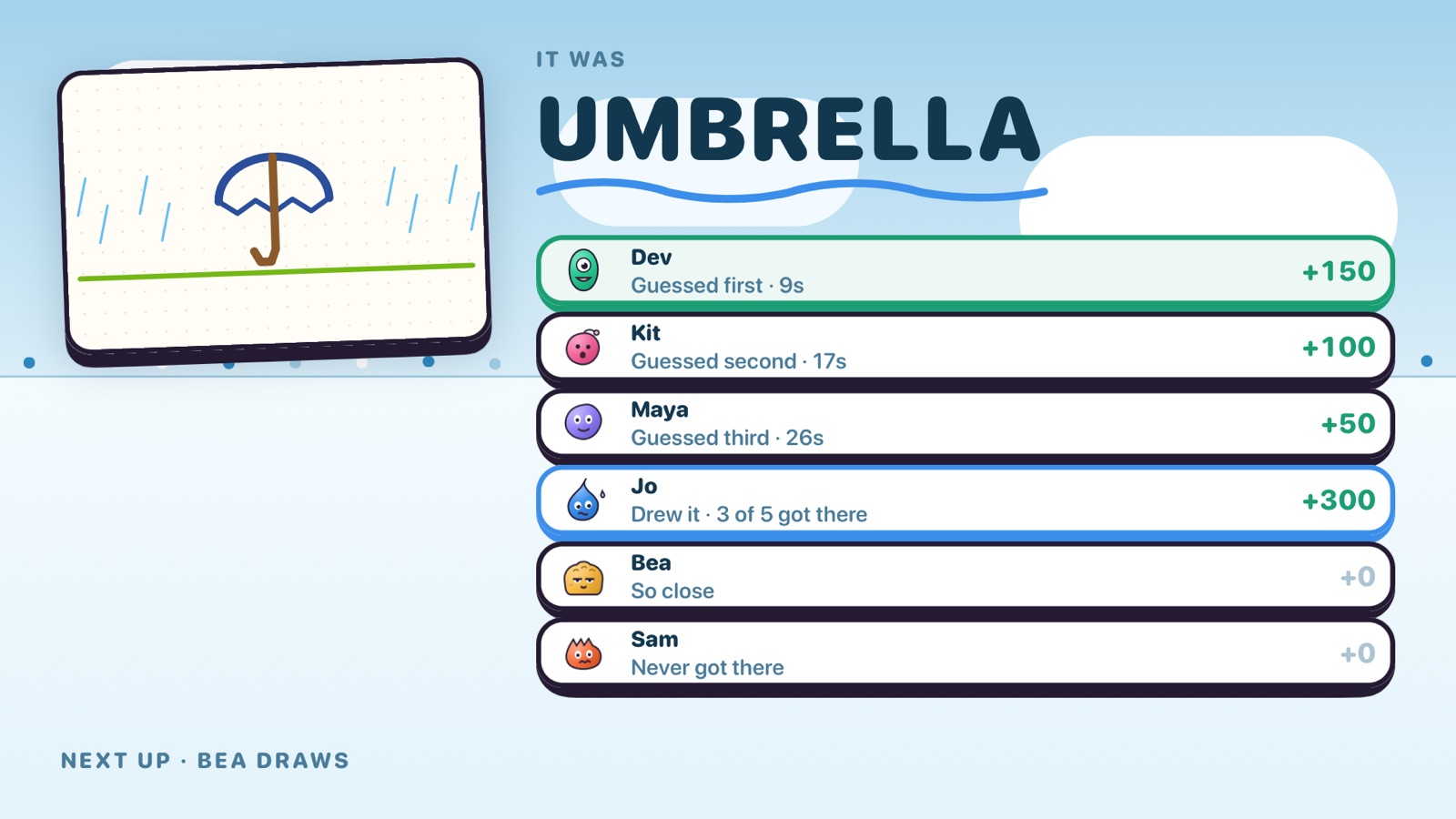
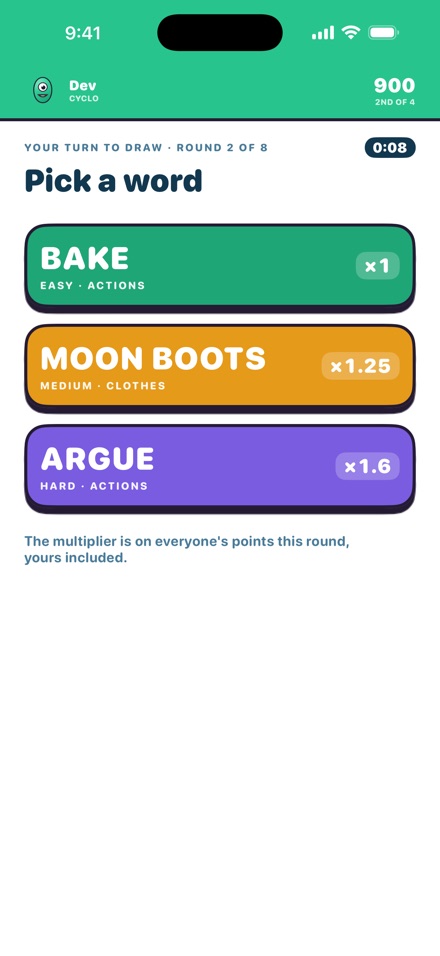
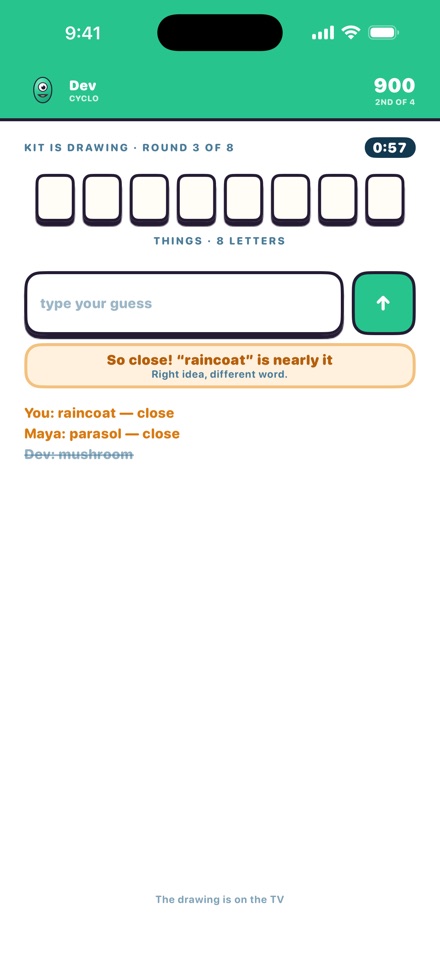
The drawer picks a word and draws on their phone, live on the TV. Everyone else guesses on theirs. First right answer scores most.
Meet the cast
Pick your Squiggle





What's inside
Made for the room you're in
The word jar
With three or more, everyone can add up to three words of their own. Draw one of a friend's and they sit the round out, hoping you stump the room.
Just your Wi-Fi
Phones join the TV over the Wi-Fi it's on, with nothing online. An iPad needs no network at all, so take it on a trip or to a cabin.
Decorate your friends
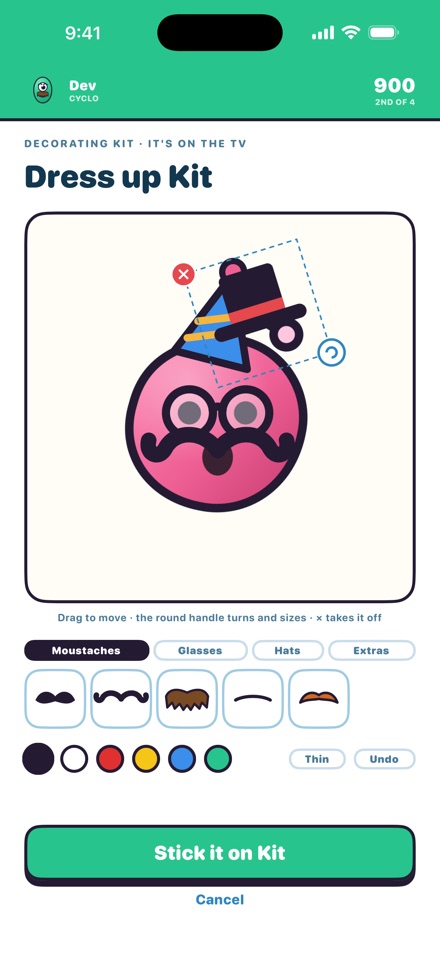
Stickers and pen on each other's Squiggles. They wear them on the TV for the rest of the night.
Close calls
A nearly-right guess shows as close, and your phone quietly says whether to fix the spelling or think of a different word.
Over 1,100 words
From cat and pizza to earthquake and juggle. Harder words pay more, for the drawer too.
Stays in the room
No accounts, no ads, no tracking. A PIN keeps the room to the people you invite.
On the big screen
A party, in pictures
Prices
Free for two. Up to six when you want.
Two players, every game, forever. Download it on the TV or iPad and on each phone.
Up to six players for your next ten games. Two-player games never use one.
Up to six players, every game, for good. Shared with your family.
Bought once on the Apple TV or iPad that hosts. Prices are in US dollars and set by the App Store in other countries.
Help
Questions
A phone can't see the room
Open Squiggle Party on the TV or iPad first, and keep the phones in the same room. With an Apple TV, the phones need to be on the same Wi-Fi as the TV. With an iPad, the phones and the iPad only need Wi-Fi or Bluetooth turned on; no network is needed. Neither needs the internet. If it still doesn't show, check that Squiggle Party may use the local network in the phone's Settings.
Where's the PIN?
On the join note on the TV or iPad, under the room's name. A phone that has played there before doesn't need it again.
Getting a Party Pass back
On a new or reset TV or iPad, open Settings in the game and choose Restore purchases. A 10-Game Pass is used up as you play and can't be restored. Refunds are handled by Apple at reportaproblem.apple.com.
Keeping strangers out
Press New PIN in Settings and every phone needs the new one. On an iPad that hosts, tap a player's magnet to take them off the fridge for the night.
Still stuck?
More answers on the support page, or tell us what happened and which devices you were using.